




JustMarkets at a Glance
| Broker name | JustMarkets |
|---|---|
| Promotion | $30 Forex No Deposit Bonus |
| Regulated by | FSA (Seychelles), CySEC (Cyprus) |
| Headquarters | Seychelles: office 10, floor 2, Vairam Building, Providence Industrial Estate, Providence, Mahe, Seychelles Cyprus: office 102, 13/15 Grigori Afxentiou, 4003, Limassol, Cyprus |
| Foundation year | 2012 |
| Country | Seychelles |
Features & account options (11/11 available)
- ✓Mobile Trading
- ✓Web Trading
- ✓News Trading
- ✓Hedging / Scalping
- ✓Swap Free Account
- ✓Islamic Account
- ✓Free Demo Account
- ✓Mini Accounts
- ✓VIP Accounts
- ✓Managed Accounts
- ✓Segregated Account
JustMarkets Trading Info
| Min. Deposit | $1 |
|---|---|
| Max Leverage | 1:3000* |
| Min. Spreads | 0.2 pips |
| Mobile Trading | Yes |
| Web Trading | Yes |
| News Trading | Yes |
| Hedging / Scalping | Yes |
Trading platforms
- MT4 for Desktop
- MT4 Web Terminal
- MT4 Android
- MT4 iPhone Trader
- MT4 iPad Trader MT4 Multi Terminal
- MT5 for Desktop
- MT5 Web Terminal
- MT5 Android
- MT5 iPhone Trader
- MT5 iPad Trader
- Platform for Android
- Platform for iOS
A JustMarkets Forex Broker review should focus on the basics that matter in real trading: regulation status, account types, fees, spreads, and how orders fill in live market moves. Start by checking where the broker is licensed, and which entity you’re signing up with, since rules can change by region.
Then look at the full cost of trading, not just the headline spread, because swaps, commissions, and deposit or withdrawal fees can add up. Platform support also matters, so confirm what you’ll use day to day (mobile, desktop, or web) and whether the tools fit your style.
Before funding big, test the deposit and withdrawal process with a small amount and keep records, it’s the quickest way to judge service quality. If you’re comparing brokers, put JustMarkets next to two or three peers and score each on costs, trust, and ease of use.
JustMarkets Accounting Info
| Swap Free Account | Yes |
|---|---|
| VIP Accounts | Yes |
| Mini Accounts | Yes |
| Segregated Account | Yes |
| Free Demo Account | Yes |
| Managed Accounts | Yes |
| Islamic Accounts | Yes |
Account funding methods
- Credit Card
- Debit Card
- Western Union
- Perfect Money
- Neteller
- Skrill
- FasaPay
- Internal transfer
- Local Deposits
- Bitcoin
- TrustPay
- Boleto
- Multiple local methods
- Sticpay
- PayTrust
- PayRetailers
- Payment Asia
- Crypto
- Absa
- Help2pay
- Pix
Withdrawal methods
- Credit Card
- Debit Card
- Western Union
- Perfect Money
- Neteller
- Skrill
- FasaPay
- Internal transfer
- Local Deposits
- Bitcoin
- TrustPay
- Boleto
- Multiple local methods
- Sticpay
- PayTrust
- PayRetailers
- Payment Asia
- Crypto
- Absa
- Help2pay
- Pix
JustMarkets Forex broker ratings can vary a lot across review sites, so it helps to focus on what’s being measured instead of the headline score. The most useful ratings break things down by regulation and legal entity, trading costs (spreads, commissions, and any swap fees), platform options (like MT4 or MT5 if offered), order execution, and how smooth deposits and withdrawals feel in real use.
Customer support quality also matters, since that’s where small issues can turn into big delays. When you read JustMarkets ratings, look for reviews that explain the account type used, the market traded, and the time period, because one-off complaints or short tests don’t tell you much.
If you’re comparing brokers, keep a simple checklist and weigh the categories that match how you trade.
ything you need to know about their services, features, and offerings. Make informed decisions with this detailed review.
JustMarkets Contact Info
| Broker name | JustMarkets |
|---|---|
| Country | Seychelles |
| Base currencies | USD EUR GBP JPY MYR IDR THB VND KWD CNY ZAR |
| Languages | English, Spanish, Portuguese, French, Chinese, Bangla, Indonesian, Malay, Thai, Arabic, Vietnamese, Korean, Urdu, Turkish, Hindi and More |
| News trading | Yes |
| Website | one.justmarkets.link |
JustMarkets Broker Info
JustMarkets Forex Broker Review Spreads, Fees, MT4 and MT5, Safety
Picking a forex broker can feel simple until you get to the details, fees, execution, and what happens if there’s a dispute. This JustMarkets forex broker review is here to make those details easier to judge, without the hype.
JustMarkets launched in 2012 and later rebranded from JustForex to JustMarkets. Reviewers report a large global user base (millions of traders across 160+ countries), but it doesn’t accept US clients, and protections can vary depending on where you open your account.
In this guide, you’ll see how JustMarkets stacks up on safety and regulation (including the difference between its Cyprus regulated entity and its offshore branches), plus trading costs like spreads and commissions. We’ll also cover the platforms most traders care about (MT4, MT5, web trading, and the broker’s mobile app), along with execution, deposits and withdrawals, and what real users tend to praise or complain about.
You’ll also get a clear pros and cons summary so you can decide if it fits your style. Quick risk note: CFDs and high leverage can amplify losses fast, so sizing and risk controls matter.
Quick snapshot of JustMarkets, markets, accounts, and trading rules
JustMarkets (founded in 2012, rebranded from JustForex) is built around MetaTrader trading, low entry costs in many regions, and a menu of about 250+ CFDs/markets. Most public broker listings describe it as STP/ECN-style execution with variable spreads, and it supports small sizing (the minimum lot size is 0.01).
The fine print matters because JustMarkets runs different entities. Your account minimums, leverage, and protections can change based on where you register (EU vs offshore). It’s also a broker where trading rules are fairly flexible: hedging and scalping are allowed, and swap-free (Islamic) accounts are available.
What you can trade, and where JustMarkets feels strongest
JustMarkets focuses on the markets most active CFD traders actually use day to day:
- Forex: typically 60+ currency pairs (many reviews cite around the high-60s), including majors and a mix of minors and exotics.
- Metals: gold (XAUUSD) and silver are common staples for both day trading and swing trading.
- Indices: major benchmarks like US and EU indices are a core strength for many traders.
- Energies and commodities: expect the usuals (oil and similar contracts), plus a smaller list of other commodities.
Where it feels lighter is equities. The stock CFD list is limited compared with full-service brokers that offer thousands of real stocks and ETFs. Many reviews peg the stock lineup around a couple hundred names, mostly large, high-volume companies.
Who this fits best: a forex-focused day trader who wants tight pricing, quick execution, and simple tooling (MT4/MT5). Who may not like it: a long-term investor building a diversified portfolio of real stocks and ETFs, or anyone who wants deep in-platform research.
Account types in plain English, Standard vs Raw Spread vs Pro
Think of JustMarkets accounts like paying for a flight. You either pay with the “all-in ticket price” (spread-only) or you buy the cheaper seat and pay add-ons (raw spread + commission).
- Standard: Usually spread-only pricing. Reviews often cite spreads starting around the low tenths of a pip on majors in good conditions, but they can widen during news.
- Pro: Often positioned as a tighter-spread, still mostly commission-free option (availability varies by entity).
- Raw Spread:Raw pricing plus commission, commonly listed as $3 per side per standard lot (so $6 round turn).
Simple math example (EUR/USD, 1 standard lot):
- Raw spread shows 0.1 pip and commission is $6 round turn.
- 0.1 pip is about $1 (since 1 pip is about $10 per lot on EUR/USD).
- Total estimated cost: ~$7 for the round trip (spread + commission).
Minimum deposits vary a lot by region. Offshore reviews often mention $10 minimum for Standard (some sources even cite lower for certain account types), while EU retail onboarding can start higher (commonly around €100). Raw and Pro minimums are often shown around $200 offshore. Always confirm on your entity’s signup page.
Leverage and margin, why the big numbers can be risky
JustMarkets markets high leverage in some regions. You’ll see up to 1:3000 in certain listings, while other sources cite up to 1:1000, depending on the entity and instrument. In the EU, retail leverage is much lower, commonly up to 1:30 on major forex pairs.
Leverage is a power tool. It can help you open a larger position with a smaller deposit, but it also magnifies losses the same way it magnifies wins. A small move against you can eat margin fast, especially on volatile markets like gold or during news.
If you’re new (or returning after time off), keep it boring:
- Start with smaller lot sizes (0.01 lots exists for a reason).
- Use stop-loss orders on every trade you can.
- Treat the maximum leverage as a ceiling, not a target.
Safety, regulation, and what protection you actually get
With JustMarkets, “is it regulated?” is only half the question. The bigger one is: which JustMarkets company are you actually opening an account with? The brand operates multiple entities, regulated in different jurisdictions, and your rules can change based on that choice. In simple terms, EU-style oversight (via Cyprus) tends to come with stricter conduct rules and a formal compensation setup, while offshore-style setups often allow higher leverage and promos, with fewer formal backstops if something goes wrong.
Commonly listed regulators across the group include CySEC (Cyprus), FSCA (South Africa), FSA (Seychelles), and FSC (Mauritius).
Which JustMarkets entity am I joining, and why it matters
You don’t want to guess here. The same website branding can hide very different account terms. Before you deposit, do a quick verification pass and save proof for your records.
Use this checklist:
- Check the legal entity name in the site footer (or inside the Client Area). You’re looking for the exact company name you’ll contract with, not just “JustMarkets.”
- Confirm the regulator and license details shown in the legal pages. JustMarkets commonly lists entities tied to CySEC (Cyprus), FSCA (South Africa), FSA (Seychelles), and FSC (Mauritius).
- Read the risk disclosure and client agreement for your entity. Pay attention to execution language, dispute handling, and withdrawal terms.
- Save screenshots (or PDFs) of the legal page, your account approval screen, and key terms (fees, leverage, bonus rules). If a dispute happens later, this helps.
Why it matters: leverage caps, bonus availability, and protections can vary by region. For example, the Cyprus (CySEC) setup typically follows EU retail rules like lower leverage (often up to 1:30 on major FX) and access to a compensation framework (commonly described as up to €20,000 for eligible claims). Offshore entities may offer much higher leverage and promotions, but usually don’t include an equivalent compensation scheme.
Segregated funds, negative balance protection, and the limits of each
Two safety terms come up a lot in JustMarkets reviews and broker disclosures. They’re helpful, but they’re not magic shields.
- Segregated client funds: Your deposit is held in accounts separated from the broker’s own operating money. It’s meant to reduce misuse risk if the business hits trouble.
- Negative balance protection: For retail clients, this usually means you shouldn’t end up owing the broker money after a sharp market move. Your loss is capped at what’s in your account.
What they don’t cover:
- Market losses from bad trades or gaps during news.
- Trade disputes like slippage complaints or execution arguments (those depend on your entity’s rules and complaint process).
- Payment provider issues, including card disputes, intermediary delays, or e-wallet holds. Segregation doesn’t control what your payment processor does.
Think of these protections like seatbelts. They can reduce damage, but they don’t prevent crashes.
Country restrictions to know before you start
JustMarkets doesn’t accept US clients, and other countries can be restricted depending on the entity (and on local rules). Some regions may be redirected to a different site version during signup, and that usually signals a different legal entity and different protections.
Before funding your account:
- Run through the sign-up flow using your real country of residence.
- Open the legal documents displayed to you and confirm the entity name and regulator.
- Only deposit after you’re sure you’re joining the branch you intended.
Trading costs and fees, spreads, commissions, swaps, and the hidden stuff
Trading costs are where “cheap broker” claims get real. With JustMarkets, pricing is usually easy to understand because it’s built around two main models, spread-only accounts (Standard, often Pro) and raw spread plus commission (Raw Spread). The catch is that spreads are variable, so what you pay can change by market session, volatility, and news events.
A simple way to think about it is: you pay something on every trade (spread and maybe commission), you might pay something for holding overnight (swap), and you can get hit with “quiet” fees (inactivity, currency conversion, and payment provider charges).
Spread vs commission, a simple way to compare accounts
If you want a clean comparison, don’t start with minimum spreads. Start with your trading habits. The best method is to estimate costs over a month, then compare account types with the same assumptions.
Here’s an easy process you can repeat:
- Estimate your monthly volume (how many trades, and what lot size).
- Track the real average spread during the hours you trade (not the advertised “from” number).
- Convert spread into dollars, then add commissions if the account uses them.
- Compare totals and pick the model that fits your style (scalping, day trading, swing, etc.).
A quick cheat sheet for spread math on EUR/USD: for 1 standard lot, 1 pip is about $10. So a 0.3 pip spread is roughly $3 per round trip (open plus close), because you cross the spread once.
JustMarkets account pricing is often described like this (exact conditions vary by region/entity):
- Standard: spreads from about 0.3 pips, typically no commission
- Pro: spreads from about 0.1 pips, typically no commission
- Raw Spread: spreads from 0.0 pips, plus $3 per side per lot (about $6 round turn)
Simple cost example (EUR/USD, 1 lot):
- If Raw Spread shows 0.1 pip and commission is $6 round turn, your spread cost is about $1, total cost is about $7.
- If Standard averages 0.8 pips during your trading hours (common when spreads widen outside peak liquidity), your cost is about $8, with no commission.
The key is the word average. Minimum spreads can show up for seconds, your trading history shows what you really paid. Use a demo account to test execution and spreads in the same sessions you trade (London open, New York overlap, Asia session). Then compare it to a small live account if you decide to proceed.
Swap fees and swap free accounts, what changes and what does not
Swaps (also called overnight financing) are the cost of holding a leveraged position past the broker’s daily cutoff. Depending on the instrument and the direction of your trade, you’ll either pay a fee or receive a credit.
Two practical points matter for real accounts:
- Triple swap days: forex usually applies a triple charge once per week (commonly Wednesday) to account for weekend funding.
- Swaps vary by market: a calm major pair can cost very different from gold, indices, or an exotic FX pair.
JustMarkets also offers swap-free (Islamic) accounts. Traders often assume swap-free means “no overnight cost,” but it’s not always that simple. Some brokers offset swap removal with alternative charges or rules, and those can differ by instrument (for example, different handling on metals or indices versus majors).
If swap-free is important to you, read the swap-free terms for your entity and look for:
- Any replacement admin fees
- Holding-period limits
- Instruments that are excluded or treated differently
Other fees traders forget about (conversion, inactivity, funding charges)
Even if your spreads and commissions look great, small “side costs” can sneak in.
Inactivity fees: Some sources list an inactivity fee of $5 per month after 150 days with no trading activity. Other reviews mention different timeframes (you’ll sometimes see 90 days cited). Don’t guess; check your client agreement and your entity’s fee page. If you trade on and off, this one matters.
Currency conversion fees: If your account is in USD but you deposit in EUR (or withdraw in ZAR, PLN, etc.), you can pay conversion at the broker, the payment provider, or both. A simple rule is to choose an account base currency that matches how you fund the account whenever possible.
Deposit and withdrawal costs: JustMarkets is often listed as charging no internal fees for deposits or withdrawals. That doesn’t mean the transfer is free. Banks, card issuers, and e-wallets can add their own charges, and crypto transfers always have network fees.
If you want to keep costs predictable, focus on two habits: track your average spreads during your trading hours, and review the non-trading fees before you fund the account. That’s where “cheap” stays cheap.
Platforms, execution quality, and tools, what it feels like to trade here
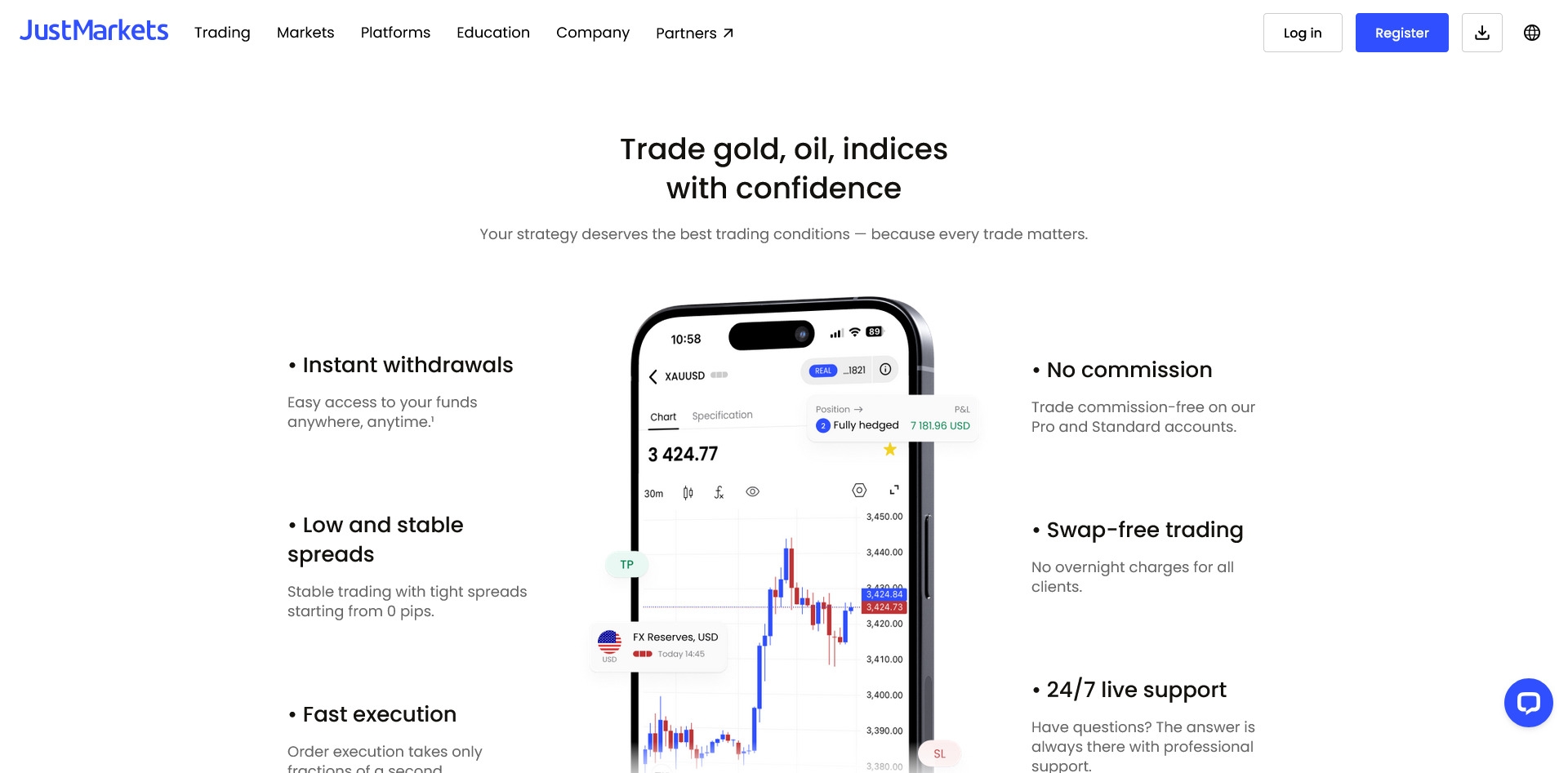
JustMarkets is a MetaTrader-first broker. In day-to-day use, that means you’re trading in familiar terminals (MT4/MT5), with one-click trading, clean charting, and support for automation. If you don’t want to install anything, the WebTerminal (browser-based) covers the basics well, and your account syncs so you can move between devices without starting over.
For trading from your phone, you can use the JustMarkets mobile app (account control plus trading features), or stick with the standard MT4/MT5 mobile apps for charts, alerts, and quick execution. Reviews and broker materials also point to extras traders care about, like VPS access for lower-latency strategies and always-on EAs. One important limitation to plan around: guaranteed stop-loss orders typically aren’t available, so stops can still slip in fast markets.
MT4 vs MT5 at JustMarkets, which one should you pick?
If your trading is mostly forex and you want a simple, stable setup, MT4 is usually the easier fit. It’s great when you’re running older Expert Advisors (EAs), keeping charts minimal, and focusing on classic order placement without extra platform complexity.
Choose MT5 if you want a broader toolkit and more market depth. Compared with MT4, MT5 is built for multi-asset trading and comes with more built-in analysis features. Traders often pick it for:
- More order types (MT5 adds options like stop-limit variants, beyond MT4’s basics)
- More timeframes and stronger charting depth (MT5 commonly lists 21 timeframes and 38 built-in indicators, MT4 is lighter)
- Built-in economic calendar and Depth of Market (useful when you care about liquidity and pricing layers)
Availability can depend on the entity you register with. Many broker listings and reviewers note that the EU (CySEC) version commonly offers MT5 only, while international/offshore entities often support both MT4 and MT5.
Execution and slippage, what to watch during news and low liquidity
Slippage is just the difference between the price you click and the price you get filled at. It tends to show up when the market moves faster than quotes can update, or when there’s thin liquidity (late session hours, rollovers, holidays).
JustMarkets says it offers very fast execution (some materials cite around 10 ms on average), and reviewers often describe pricing as stable in liquid sessions. Still, real trading conditions change quickly around major releases, and spreads can widen during volatility, which can turn a “good” entry into a rushed fill.
Practical ways to keep this under control:
- Test with small size first, especially on gold and during the London and New York overlap.
- Don’t oversize around news, because both spreads and slippage can spike.
- Review your trade logs inside MT4/MT5 (entry price, fill price, time, and spread) to spot patterns by session.
If you scalp or run EAs, a VPS can help reduce delays between your terminal and the broker’s servers, which matters most when timing is tight.
Research and education, what you get, and what you may need elsewhere
You’ll usually find basic education and some daily market commentary (forecasts, news-style updates), but many reviewers describe JustMarkets’ built-in research as lighter than what you get at large multi-asset competitors. A common complaint theme is also the lack of TradingView integration, plus no support for certain third-party add-ons.
If you rely on research to drive decisions, plan to bring your own stack:
- An economic calendar you trust (MT5 includes one, and many traders also use standalone calendars)
- A reputable real-time news source for major releases
- A written trading plan (risk per trade, sessions you trade, and rules for news days)
Think of JustMarkets as solid “execution plus MetaTrader,” then build the research layer around it to match your style.
Deposits, withdrawals, support, and real user feedback, the good and the not so good
Funding is where broker hype meets real life. JustMarkets is often described as fee-friendly on the broker side (no added deposit or withdrawal fees), with a wide menu of methods that can include cards, bank transfers, e-wallets, local options (varies by country), and crypto at some offshore entities. The part that trips people up is that broker approval time and payment provider time are not the same thing. JustMarkets may process requests quickly in the client area, but your bank, card issuer, or wallet can still hold things up.
Public feedback follows that same pattern. Many traders praise quick deposits, same-day withdrawals with e-wallets or crypto, and helpful chat agents. The common negatives tend to be slower card withdrawals, occasional app lag during trading, and disputes tied to specific payment providers or verification checks.
How to lower withdrawal risk before you deposit big money
If you treat withdrawals like a fire drill instead of a surprise, you avoid most headaches. Use this checklist before you scale up.
- Verify your ID first (KYC)
Complete identity and address checks early. Brokers can pause withdrawals if verification is unfinished, especially after your account grows. - Use one consistent payment method
Stick to the same card or e-wallet where possible. Many brokers follow a return-to-source rule, meaning your original deposit method is used first, and profits above that may go to another method (often bank transfer, e-wallet, or crypto). - Avoid third-party transfers
Deposit and withdraw using accounts in your own name. Third-party payments are a common reason for delays or rejection. - Do a small deposit, then a small withdrawal test
Start with an amount you can afford to “stress test.” JustMarkets is often reported to process withdrawals within about 1 to 2 hours on business days on its side, but the provider can take longer (cards can be slower than wallets). Testing shows you the real timeline for your method. - Save proof like a paper trail
Keep screenshots of the deposit and withdrawal screens, confirmation emails, and the payment provider’s status page. Save ticket numbers if you contact support. - Know the limits before you click confirm
Many methods come with a maximum deposit limit around $10,000. Minimum withdrawals can vary widely (often cited anywhere from $1 up to $500, depending on method). - Read bonus terms before accepting
Bonuses can add rules, like volume requirements before you can withdraw. If you want simple withdrawals, skipping promos keeps things clean.
Customer support channels and what to ask when something goes wrong
When money is “stuck,” speed comes from being clear, not being loud. JustMarkets is typically reachable through live chat, email, phone, and sometimes messaging apps (availability can differ by region). Live chat is usually the fastest place to start, then move to email for a written trail.
Here’s a short script you can copy and paste, then fill in:
- Account number: [your account]
- Entity/region (if known): [CySEC, offshore, etc.]
- Issue type: deposit not credited / withdrawal pending / rejected
- Payment method: [Visa, Skrill, bank wire, crypto]
- Transaction ID: [from your bank or wallet]
- Date and time: [include time zone]
- Amount and currency: [$ / € / etc.]
- Attachments: screenshots, receipts, bank confirmation
- Exact question: “What is the current status, and what action is required from me to release it?”
Stay calm and direct. If the first agent can’t solve it, ask for escalation to the finance team and request a timeframe. Also expect anti-money-laundering checks on larger withdrawals; brokers may ask for extra documents like bank statements or a selfie with ID.
What reviews say most often, and how to read them fairly
JustMarkets tends to have mid-range public ratings, with Trustpilot often around 3.7 to 3.8 out of 5 in late 2025, based on thousands of reviews. In plain terms, that usually means lots of satisfied users, plus a steady stream of complaints that you should not ignore.
A simple way to read broker reviews without getting misled:
- Remember the bias: happy users post less, angry users post more.
- Look for patterns: one complaint is noise, the same complaint repeated is signal.
- Match the complaint to a method: “bank wire slow” and “card withdrawal slow” are different from “e-wallet always delayed.”
- Check the entity: some issues are regional, tied to the offshore branch or a specific local payment provider.
- Weigh execution and platform notes: many positive reviews focus on spreads and withdrawals, while negatives often mention support delays, app lag, or disputes.
If you follow the checklist above and test withdrawals early, you’ll usually know where you stand before real money is on the line.
Conclusion
JustMarkets is built for traders who want straightforward MetaTrader trading, low entry costs (often $10 offshore, higher in the EU), and pricing that can be very competitive on the Raw Spread setup (commonly $3 per side per lot, with spreads that can start near zero in good conditions). It’s also a multi-entity broker, with oversight that can include CySEC in Cyprus plus offshore regulators such as the FSA (Seychelles), FSCA (South Africa), and FSC (Mauritius). That mix is useful, but it also means your leverage, protections, and dispute options depend on the entity you choose. Most public feedback trends mid-range, with ratings around the high 3s out of 5, and recurring praise for withdrawals and support, plus recurring complaints about research tools and platform extras.
Best fit for:
- Cost-conscious forex traders who track spreads and commissions
- MT4 and MT5 users who want familiar tools and EAs
- Scalpers and active traders (where allowed), who value quick execution
- Traders who want low minimum deposits and simple account funding
Not a great fit for:
- Traders who need deep research, analysis, and third-party tools (like TradingView)
- Investors who want a wide stock and ETF lineup
- Anyone who only wants top-tier regulation in their home region
Before you fund, confirm the exact entity in your account paperwork, start with a demo, then trade small. Treat high leverage as an optional extra, not the default, until your risk control is consistent.
Thanks for reading, share your experience with JustMarkets in the comments.
Recent JustMarkets Reviews
No reviews yet for JustMarkets.
Frequently Asked Questions (FAQ)
What are the best Forex promotions?
Find out which forex promotion is the best for you. We have listed our top ten list of the best forex promotions available today. Check it out!
How can I find the best Forex promotions?
You can find the best forex promotions here. We have a list of the top 10 forex brokers with their latest offers and bonuses. Compare the top 10 forex brokers to find out which one is better for you! Find out about their trading platforms,
What should I look for in a Forex promotion?
best forex promotions, top forex promotions, find the best forex promotion. Find out what to look for when searching for the best forex promotion.
What are the best forex promotions for traders?
The best forex promotions can be found here. We have a wide range of products that will help you make money in the market. Find out more about our services by visiting our website today!
What are the various benefits of forex trading?
If you have been thinking about learning more about forex trading, then this article is a great place to start. Check